8.3. 超椭球堆积模拟
超椭球局部坐标下的形状函数可由下式给出:
其中 \(r_x, r_y\) 和 \(r_z\) 是超椭球在x, y, z轴的半长主轴; \(\epsilon_i (i=1,2)\) 是刻画颗粒棱角度的形状参数. \(\epsilon_i\) 在 0 到 2 的变化可勾勒出非常丰富的凸超椭球形状。SudoDEM 生成超椭球的两个函数可参见如下:
NewSuperquadrics2(\(r_x\), \(r_y\), \(r_z\), \(\epsilon_1\), \(\epsilon_2\), mat, rotate, isSphere)
NewSuperquadrics_rot2(\(r_x\), \(r_y\), \(r_z\), \(\epsilon_1\), \(\epsilon_2\), mat, \(q_w\), \(q_x\), \(q_y\), \(q_z\), isSphere)
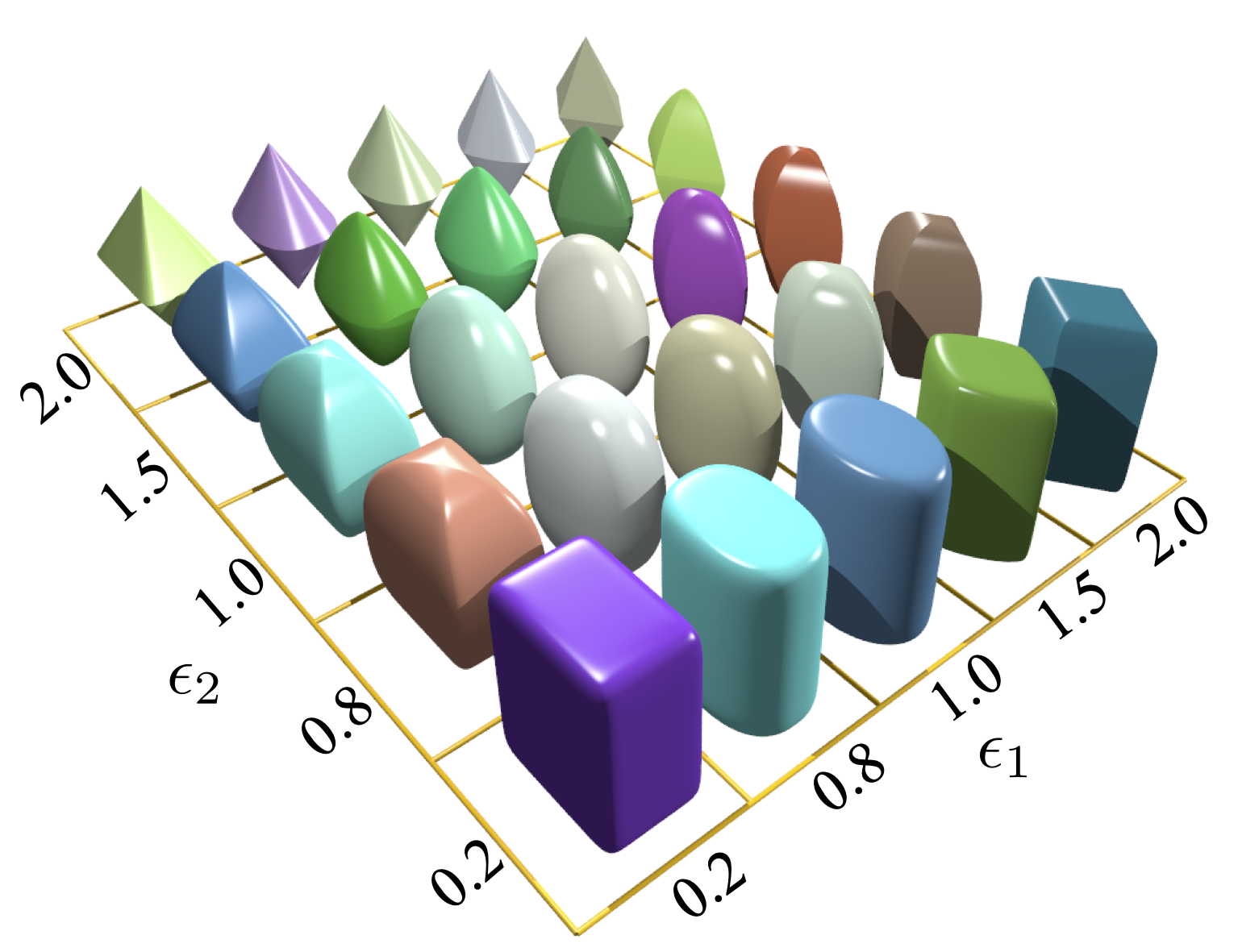
图 8.2 超椭球
这里我们给出了超椭球在立方体盒子中重力堆积的模拟示例。
在栅格中生成超椭球,随后在重力作用下堆积在立方体中。
- 导入一些必要的库
1from sudodem import _superquadrics_utils
2from sudodem._superquadrics_utils import *
3import math
4import random as rand
5import numpy as np
- 定义形状参数
1isSphere=False
2
3num_x = 5
4num_y = 5
5num_z = 20
6R = 0.1
- 定义一些辅助函数
定义栅格
 1# R: 两个邻近节点的距离
 2# num_x: x轴节点数量
 3# num_y: y轴节点数量
 4# num_z: z轴节点数量
 5# 返回所有节点坐标的列表
 6def GridInitial(R,num_x=10,num_y=10,num_z=20):
 7pos = list()
 8for i in range(num_x):
 9    for j in range(num_y):
10        for k in range(num_z):
11            x = i*R*2.0
12            y = j*R*2.0
13            z = k*R*2.0
14            pos.append([x,y,z])
15return pos
生成试样
 1def GenSample(r,pos):
 2    for p in pos:
 3        epsilon1 = rand.uniform(0.7,1.6)
 4        epsilon2 = rand.uniform(0.7,1.6)
 5        a = r
 6        b = r*rand.uniform(0.4,0.9)#aspect ratio
 7        c = r*rand.uniform(0.4,0.9)
 8
 9        body = NewSuperquadrics2(a,b,c,epsilon1,epsilon2,p_mat,True,isSphere)
10        body.state.pos=p
11        O.bodies.append(body)
- 模拟设置
 1# 颗粒材料设置
 2p_mat = SuperquadricsMat(label="mat1",Kn=1e5,Ks=7e4,frictionAngle=math.atan(0.3),density=2650,betan=0,betas=0)
 3# betan 和 betas 对应于接触的粘性阻尼, 默认值为0,表示无粘性阻尼.
 4# 侧壁墙的材料设置
 5wall_mat = SuperquadricsMat(label="wallmat",Kn=1e6,Ks=7e5,frictionAngle=0.0,betan=0,betas=0)
 6# 底部墙体的材料设置
 7wallmat_b = SuperquadricsMat(label="wallmat",Kn=1e6,Ks=7e5,frictionAngle=math.atan(1),betan=0,betas=0)
 8# 将定义的材料添加到模拟材料数组中
 9O.materials.append(p_mat)
10O.materials.append(wall_mat)
11O.materials.append(wallmat_b)
12
13# 创建墙体对象并将其添加到模拟的形状列表中
14O.bodies.append(utils.wall(-R,axis=0,sense=1, material = wall_mat))#left wall along x axis
15O.bodies.append(utils.wall(2.0*R*num_x-R,axis=0,sense=-1, material = wall_mat))#right wall along x axis
16O.bodies.append(utils.wall(-R,axis=1,sense=1, material = wall_mat))#front wall along y axis
17O.bodies.append(utils.wall(2.0*R*num_y-R,axis=1,sense=-1, material = wall_mat))#back wall along y axis
18O.bodies.append(utils.wall(-R,axis=2,sense=1, material =wallmat_b))#bottom wall along z axis
19
20# 创建栅格
21pos = GridInitial(R,num_x=num_x,num_y=num_y,num_z=num_z) # get positions of all nodes
22# 在每个节点创建超椭球颗粒
23GenSample(R,pos)
24
25# 创建引擎
26# 定义牛顿引擎
27newton=NewtonIntegrator(damping = 0.1,gravity=(0.,0.,-9.8),label="newton",isSuperquadrics=1) # isSuperquadrics: 1 for superquadrics
28
29O.engines=[
30ForceResetter(), InsertionSortCollider([Bo1_Superquadrics_Aabb(),Bo1_Wall_Aabb()],verletDist=0.2*0.1),
31InteractionLoop(
32    [Ig2_Wall_Superquadrics_SuperquadricsGeom(),    Ig2_Superquadrics_Superquadrics_SuperquadricsGeom()],
33    [Ip2_SuperquadricsMat_SuperquadricsMat_SuperquadricsPhys()], # collision "physics"
34    [SuperquadricsLaw()]   # contact law
35),
36newton
37
38]
39O.dt=5e-5
在GUI控制面板中我们可以通过点击 'show 3D' 按钮来显示模拟的可视化场景。在显示模式下选择 'Gl1_Superquadrics' 渲染器来控制颗粒是由线条还是由实体面来渲染(如 图 8.3 )。
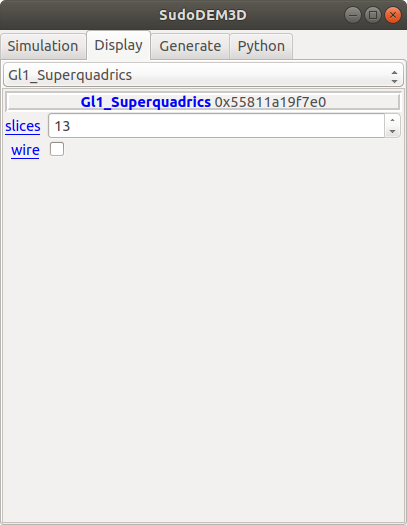
图 8.3 超椭球显示设置的GUI界面
图 8.4 ~ 图 8.6 显示了在不同渲染模式下的超椭球颗粒。
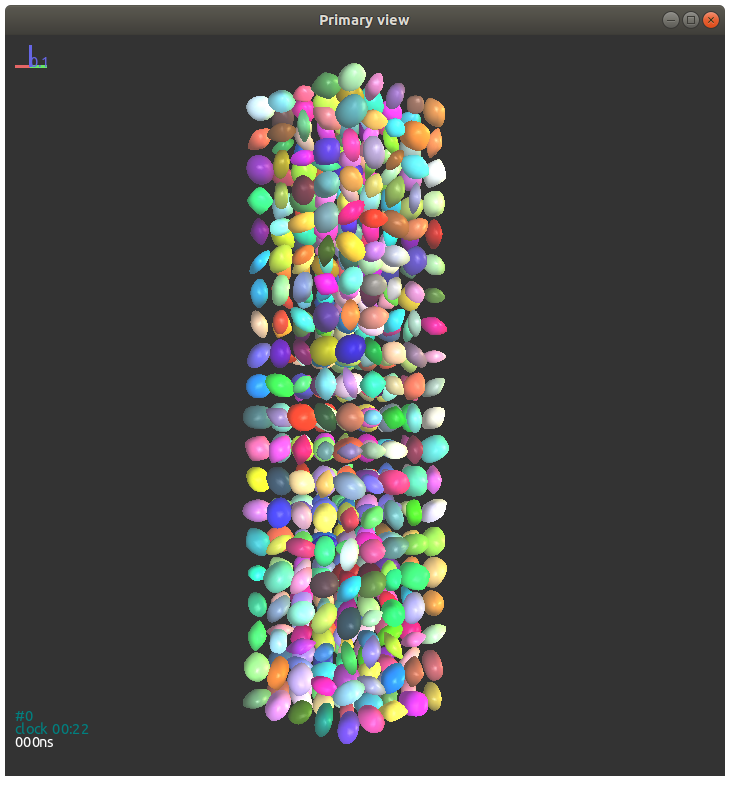
图 8.4 超椭球初始状态
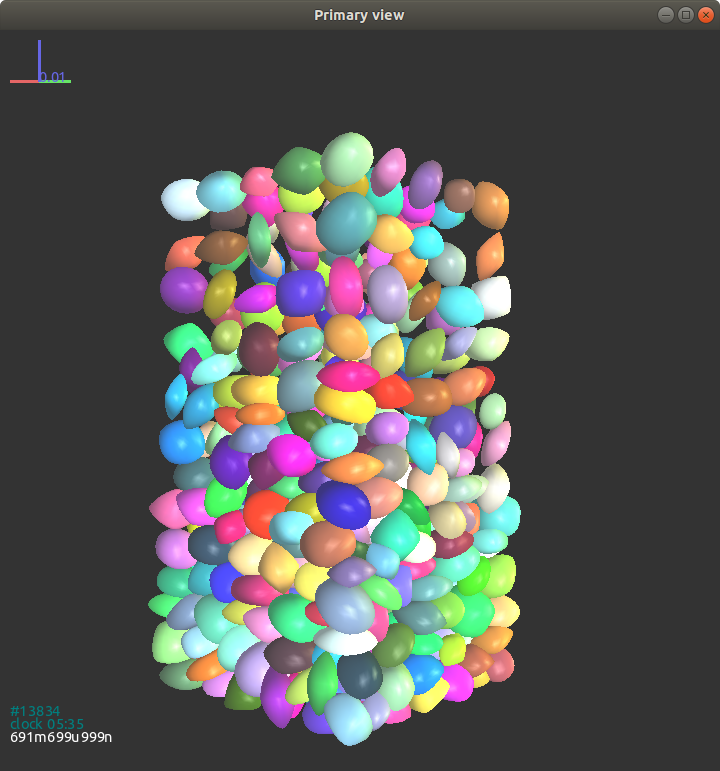
图 8.5 下落过程中的超椭球
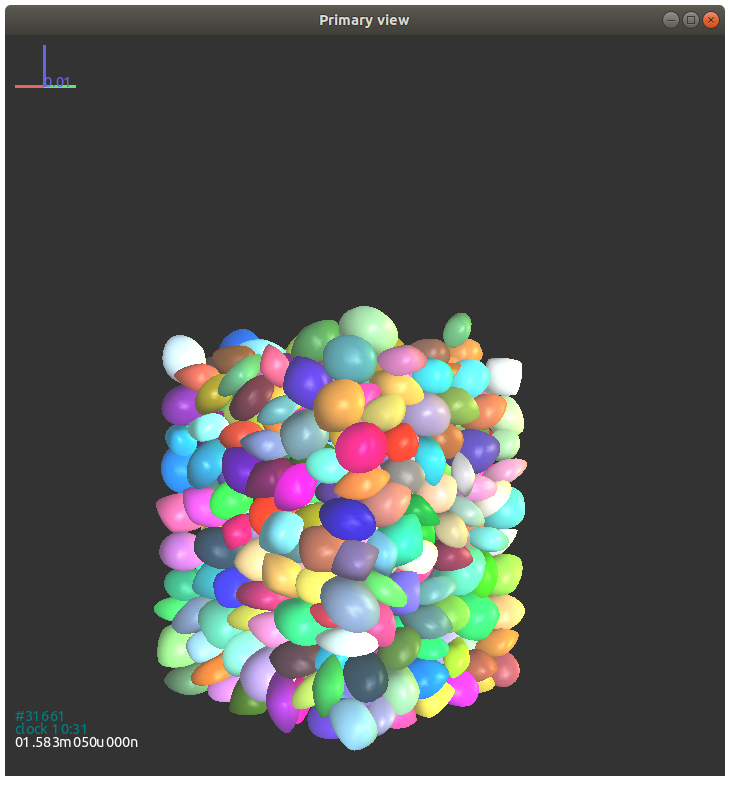
图 8.6 超椭球的最终堆积状态
超椭球颗粒的属性和类方法展示如下:
属性:
\(r_x\), \(r_y\), \(r_z\): 浮点型, x, y, 和 z 轴的半长轴。
\(\epsilon_1\), \(\epsilon_2\): 浮点型, 材料参数。
isSphere: 布尔值, 颗粒是否是球体.
类方法:
getVolume(): 浮点型, 返回颗粒体积。
getrxyz(): 三阶向量, 返回颗粒的三个半长轴。
geteps(): 二阶向量, 返回颗粒的形状参数eps1和eps2。
如下代码给出了获取索引为100的超椭球的体积:
volume = O.bodies[100].shape.getVolume()
获取对象所有属性的方法如下:
O.bodies[100].dict()
输出如下:
{'bound': <Aabb instance at 0x56072ec83da0>,
'chain': -1,
'clumpId': -1,
'flags': 3,
'groupMask': 1,
'id': 100,
'iterBorn': 0,
'material': <SuperquadricsMat instance at 0x56072e6ed5f0>,
'shape': <Superquadrics instance at 0x56072ec83b60>,
'state': <State instance at 0x56072ec839e0>,
'timeBorn': 0.0}
我们可以看到对象的属性是以字典的方式被打印出来的。需要提及的是尖括号内的是另一个对象的指针,也就是说我们可以通过dict()方法来进一步获取其对应的属性。例如我们要获取颗粒state的属性,可以通过如下代码:
O.bodies[100].state.dict()
输出如下:
{'angMom': Vector3(0,0,0),
'angVel': Vector3(0,0,0),
'blockedDOFs': 0,
'densityScaling': 1.0,
'inertia': Vector3(0.0045389863901528615,0.007287422614611933,
                        0.0067053718092146865),
'isDamped': True,
'mass': 3.225715855242557,
'refOri': Quaternion((1,0,0),0),
'refPos': Vector3(0,0,0),
'se3': (Vector3(0,0.8,3),
Quaternion((0.3970010520699211,0.5339678220536823,
                    -0.7465042060609055),2.1754719537556495)),
'vel': Vector3(0,0,0)}
对于 Shape 对象, 它的属性输出可能随着子类的不同而不同。
O.bodies[100].shape.dict()
输出如下:
{'color': Vector3(0.6407663308273844,0.07426042997942327,
                            0.05872324344642611),
'eps': Vector2(1.3975848801318045,1.5376309088540607),
'eps1': 1.3975848801318045,
'eps2': 1.5376309088540607,
'highlight': False,
'isSphere': False,
'rx': 0.1,
'rxyz': Vector3(0.1,0.06469580193313924,0.07572423080016706),
'ry': 0.06469580193313924,
'rz': 0.07572423080016706,
'wire': False}
这里我们给出了一个例子用来获取所有超椭球的序号及其位置信息:
for b in O.bodies: # loop all bodies in the simulation
    # we have to check if the present body is a superellipsoid or others, e.g., a wall
    if isinstance(b.shape, Superquadrics): # if it is a superellipsoid, then to do
        pid = b.id # get the id of particle b
        pos = b.state.pos # get the position of particle b
        print pid, pos